Review / Sage
A second look at your decisions.
Your trades. Your notes. A more useful conversation.
Ask Sage to review a completed trade, check it against your playbook or look for recurring patterns. It reads your trading records and journal to ground the conversation in what you actually did.
Sage / Recorded in the appDemo account
01
Review the trade.
Discuss the entry, exit and execution grade alongside the chart and the notes you recorded.
02
Check your own rules.
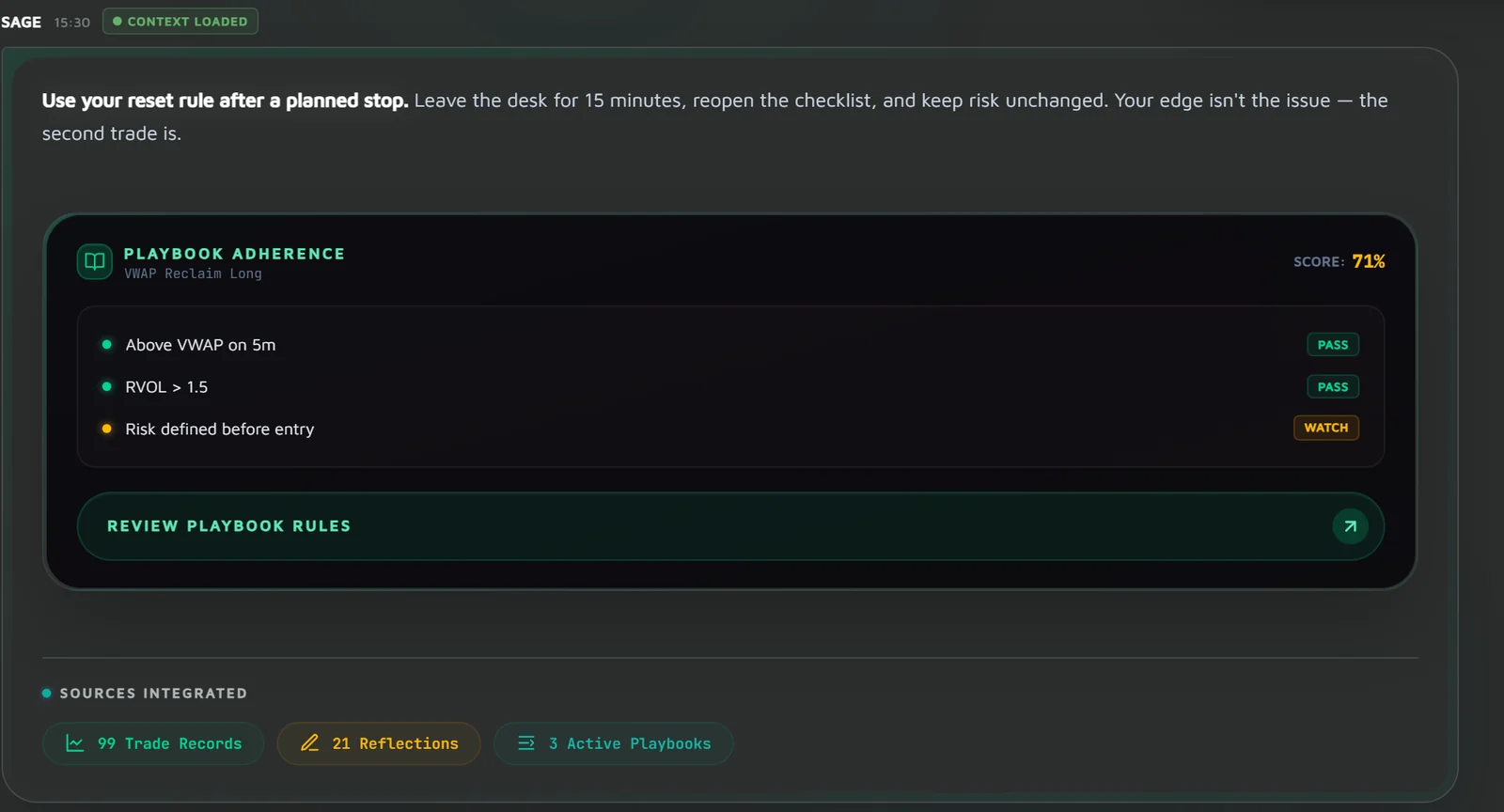
Compare a completed trade with the playbook you assigned. Use the review to examine where your process held or drifted.
03
Return to your notes.
Sage reads your saved insights and journal each session. Your recorded context gives the next conversation a place to start.
Start with one decision
- 01
Choose a completed trade
Open a trade and press Evaluate Execution or Ask Sage. Sage opens with the question already written, and you decide whether to send it.
- 02
Ask a specific question
Ask about the execution, your setup rules or a recurring pattern in the trades you took.
- 03
Check the response
Compare the answer with your source records. AI can be wrong; the final judgement stays with you.
Grounded
Every answer starts from your records
Each conversation begins by reading your records fresh: your trades, recent journal entries, active playbooks and their reviews, your ReLive practice and your recent daily results. Under each answer, Sources Integrated shows how many of each it drew on, so you can see what the answer rests on.
- Trades, journal reflections and playbooks, read at the start of every conversation
- A count of the records behind each answer
- Checks against the playbook rules you wrote, not generic trading advice
Evidence first
A pattern needs enough trades behind it
The patterns Sage works from are the same Findings you see in Deep Analysis: fixed arithmetic checks over your closed trades, each with a minimum sample. An hour of the day needs at least 20 trades in it before it is called out, a weekday 15, so a handful of trades is not presented as a habit.
- Findings are counted from your trades, not guessed by the model
- Too few trades, and the pattern is not stated
- Sage coaches the process; it does not make trade calls or forecast prices
Across the app
Ask from where the question comes up
You do not have to start from a blank chat. Evaluate Execution and Ask Sage on a trade, Ask Sage about this in the journal inspector and Open in Sage from the daily debrief each bring the question with them. Review Lab in Strategy Lab and Review Day in the daily review ask Sage about that page without leaving it.
- Run a playbook review from any row of the Strategy Lab ledger
- Find my setups on the Review page groups unsorted trades into candidate playbooks
- Save an insight to your journal, and later conversations read it like any other note
Plan availability
Free, Pro and Ultimate
Available on every plan, including Free. Free includes 1 Sage message a day, Pro 50 and Ultimate 200, each with a daily usage limit. Sage is a review coach, not a signal or prediction service.
Compare plans