Review
Broker Sync
Connect your broker. Trades import automatically.
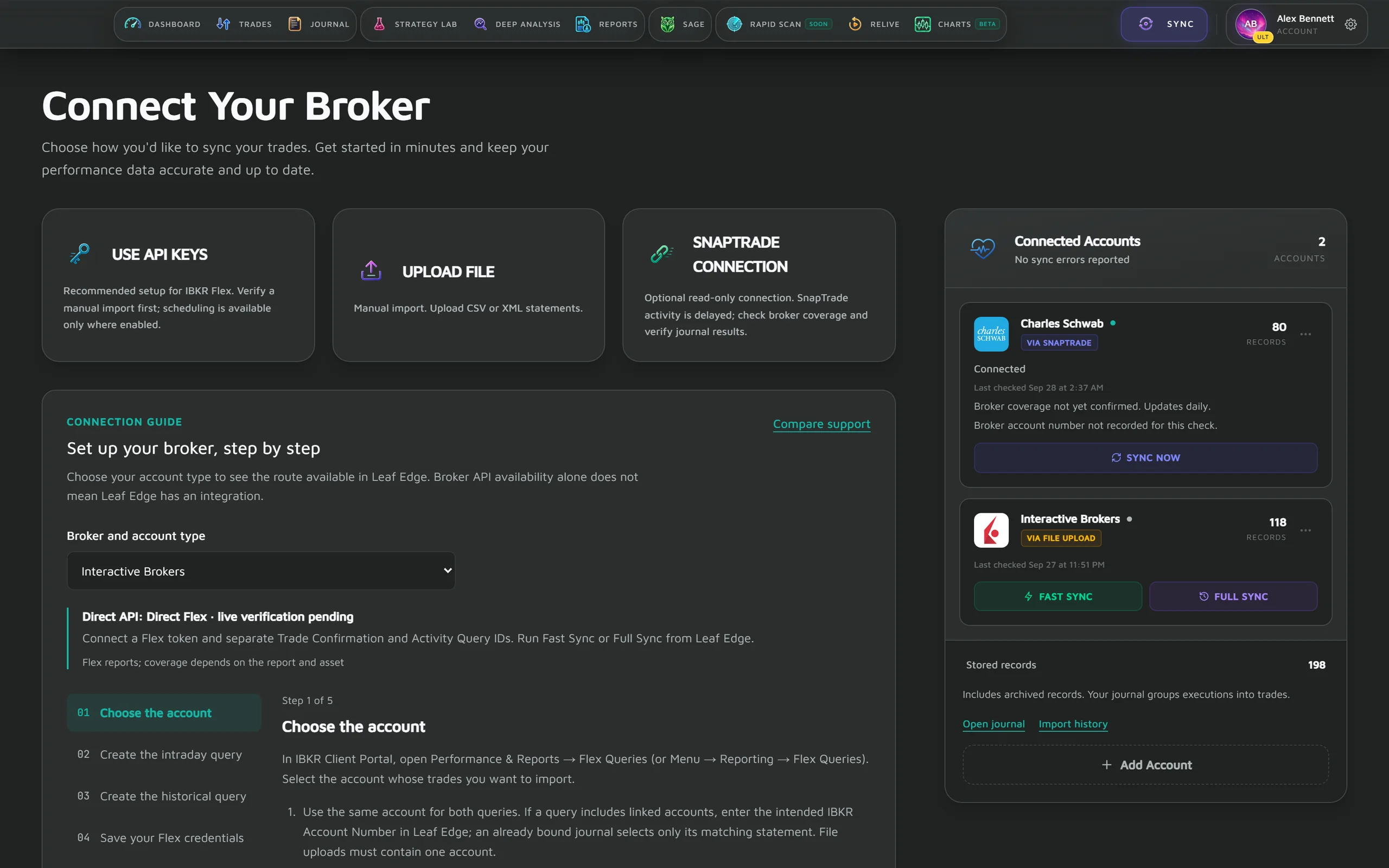
Bring your trading history into one place: upload a statement file on any plan, sync Interactive Brokers directly with a Flex query, or connect a supported brokerage read-only through SnapTrade. Imports are deduplicated across accounts, so every review starts from what actually happened.
Broker Sync / In the app
01
Read-only by design
Leaf Edge only reads from your broker and never places trades. A direct Interactive Brokers connection stores the Flex token and query IDs you provide so we can fetch your reports.
02
More than one way in
Statement files from brokers, crypto exchanges and other journals, direct IBKR Flex sync, an optional SnapTrade connection, and Add Trade for anything else — the free tier starts with files.
03
Clean, deduplicated history
Executions are matched and deduplicated across accounts, so your stats and reviews are built on accurate fills.
Three ways in
- 01
Upload a statement
No connection required, on any plan. Drop in a CSV, XML or HTML export — IBKR Flex and Activity Statements, TradingView Paper Trading, Tradervue, TradesViz executions, StonkJournal, Robinhood, Trading 212, Schwab, tastytrade and Webull formats all parse on the free plan.
- 02
Or connect Interactive Brokers directly
IBKR has its own route on a paid plan: paste a Flex token and two query IDs, then run Fast Sync for today's trade confirmations or Full Sync for the year to date. Leaf Edge pulls the report itself each time you run one.
- 03
Or connect through SnapTrade
An optional read-only connection on a paid plan, for brokerages SnapTrade supports. You sign in at your broker, not here. SnapTrade updates transactions once a day, a day behind, so a trade you place today does not arrive the same day.
Read-only, by design
You sign in at your broker, not here
A SnapTrade connection is authorised through SnapTrade, our brokerage-connection provider: you authenticate on your broker's own page, and the connection Leaf Edge receives is requested read-only — enough to see your fills, not to act on them.
- Leaf Edge never places an order at your broker — no code path does
- Connections are requested with read-only scope through our provider
- Disconnect at any time from the account menu, or at your broker

After the first import
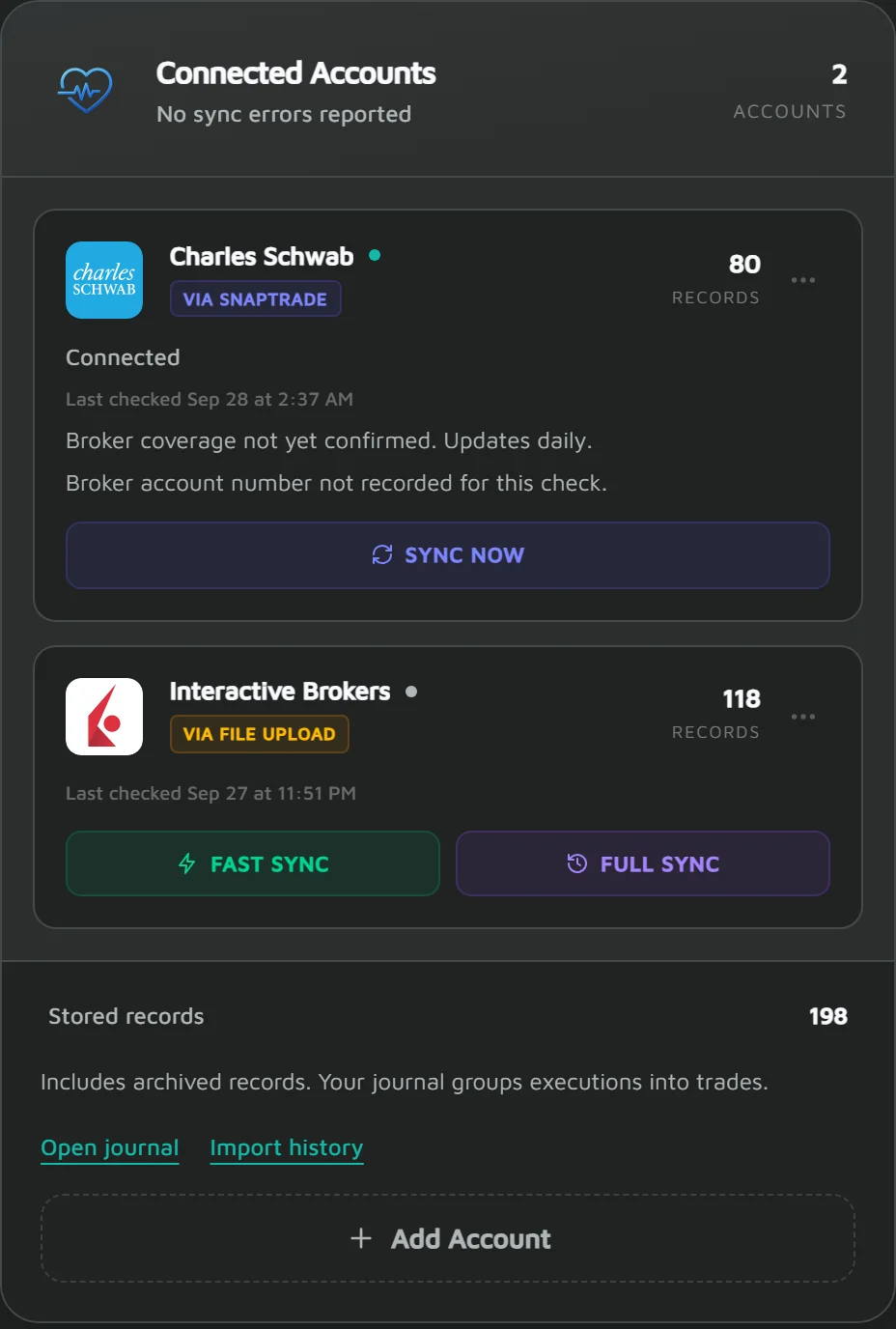
Every account in one place, with its freshness on show
Accounts sit together with how they were connected, the trade count each one contributed, and when each was last checked. Leaf Edge checks SnapTrade connections automatically, but SnapTrade updates transactions once a day, a day behind. IBKR syncs when you run Fast or Full Sync, and statements when you upload them, from the same panel.
- See at a glance which account a trade came from, and by which route
- A last-checked time on every account, so stale data is visible
- Multiple accounts roll into one consolidated performance view
Start free
A statement file is enough to begin
You do not need a live connection to use Leaf Edge. Export from your platform, drop the file in, and the parser reads your fills and imports them — then Sage offers playbook and tag suggestions you can apply or ignore.
- Works on the free plan, with no cap on how many trades you import
- IBKR Flex and Activity Statements, Robinhood, Trading 212, Schwab, tastytrade and Webull exports
- Crypto exchange exports are parsed too, including Coinbase, Kraken and Binance
- TradingView Paper Trading, Tradervue and TradesViz executions exports are free too
- Parser coverage is not certification: the supported brokers page grades each route by its evidence
Plan availability
File imports on Free. Broker connections on Pro and Ultimate.
Free accounts import CSV and statement files. Connecting a brokerage account needs Pro or Ultimate. Pro connects up to five brokerage accounts; Ultimate is unlimited.
Compare plans