Journal
Journal
Every entry tied to the trade it belongs to.
Pre-session plans, after-session reviews, lessons, and trade notes — organised by category and linked to the actual trades they describe. When Sage reviews your process, this is the evidence it reads.
Journal / Product viewPlay to explore
01
Structured, not scattered
Categories for plans, reviews, lessons, and ideas keep the journal usable months later.
02
Linked to real trades
Attach an entry to the trade it describes — the note and the fills behind it stay together.
03
Feeds your coaching
Sage draws on your journal when reviewing trades, so what you wrote informs what it flags.
How the journal earns its keep
- 01
Write it while it's fresh
Plan before the open, review after the close. Entries are categorised — pre-session, after-session, hard lesson, market state, trade idea — so the registry stays usable months later.
- 02
Link it to the trade
Attach the entry to the trade it describes. If that trade filled in several parts, the note stays attached to the whole decision rather than to one fill.
- 03
Let it feed the review
Sage reads your journal when it reviews your trading, so what you were thinking at the time becomes part of the coaching rather than something you have to remember.
The entry
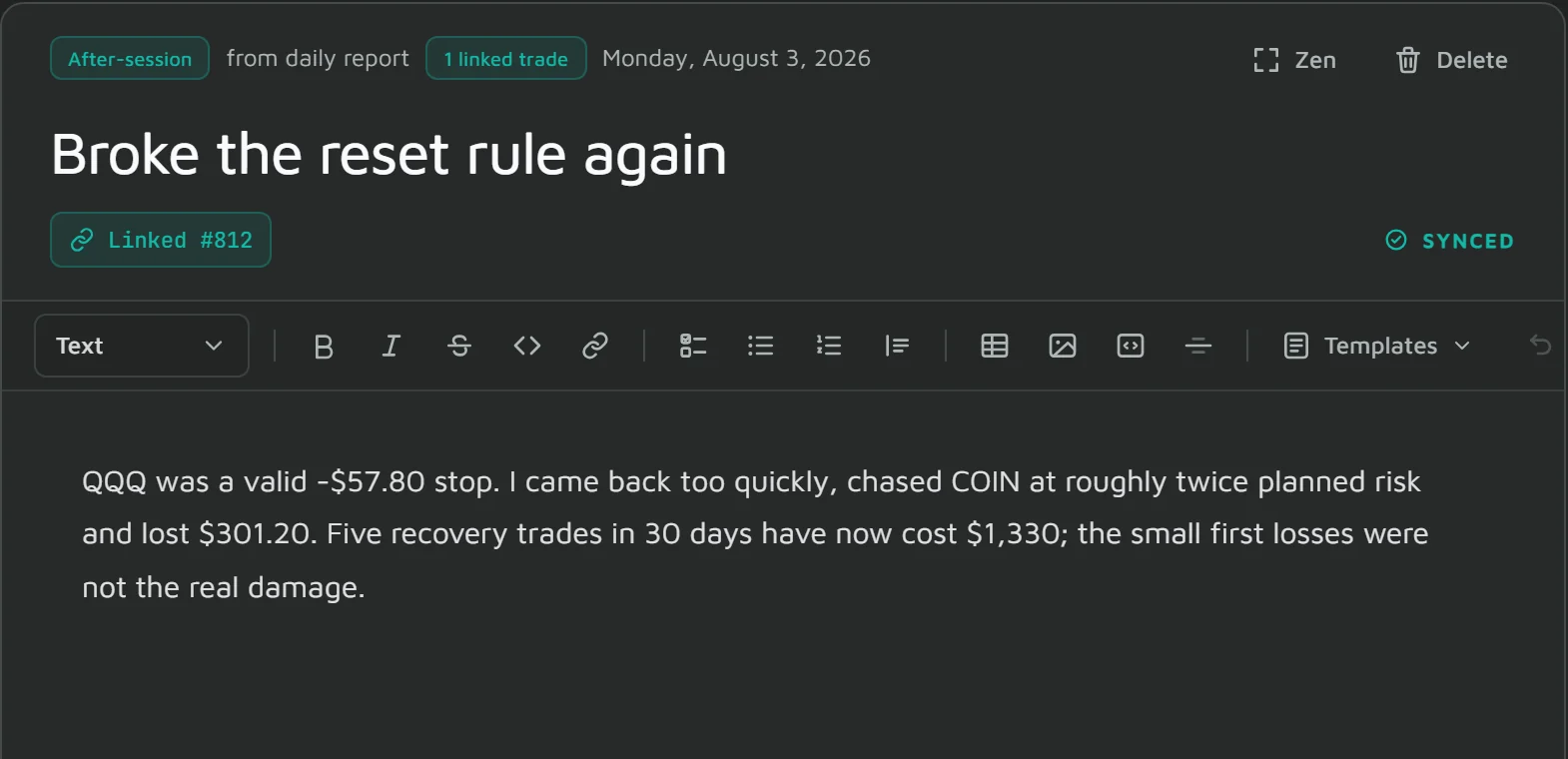
A note, and the trade it belongs to
Type / for a block: headings, checklists, bulleted and numbered lists, tables, quotes, code and images. Each entry is stamped with its category and the trade it describes, and Zen hides the side panes when you just want to write.
- A slash menu and toolbar for headings, checklists, tables, quotes, links and code
- Paste, drop or attach an image, stored with the entry
- Review templates from the same menu, and category and linked-trade badges on every entry
The registry
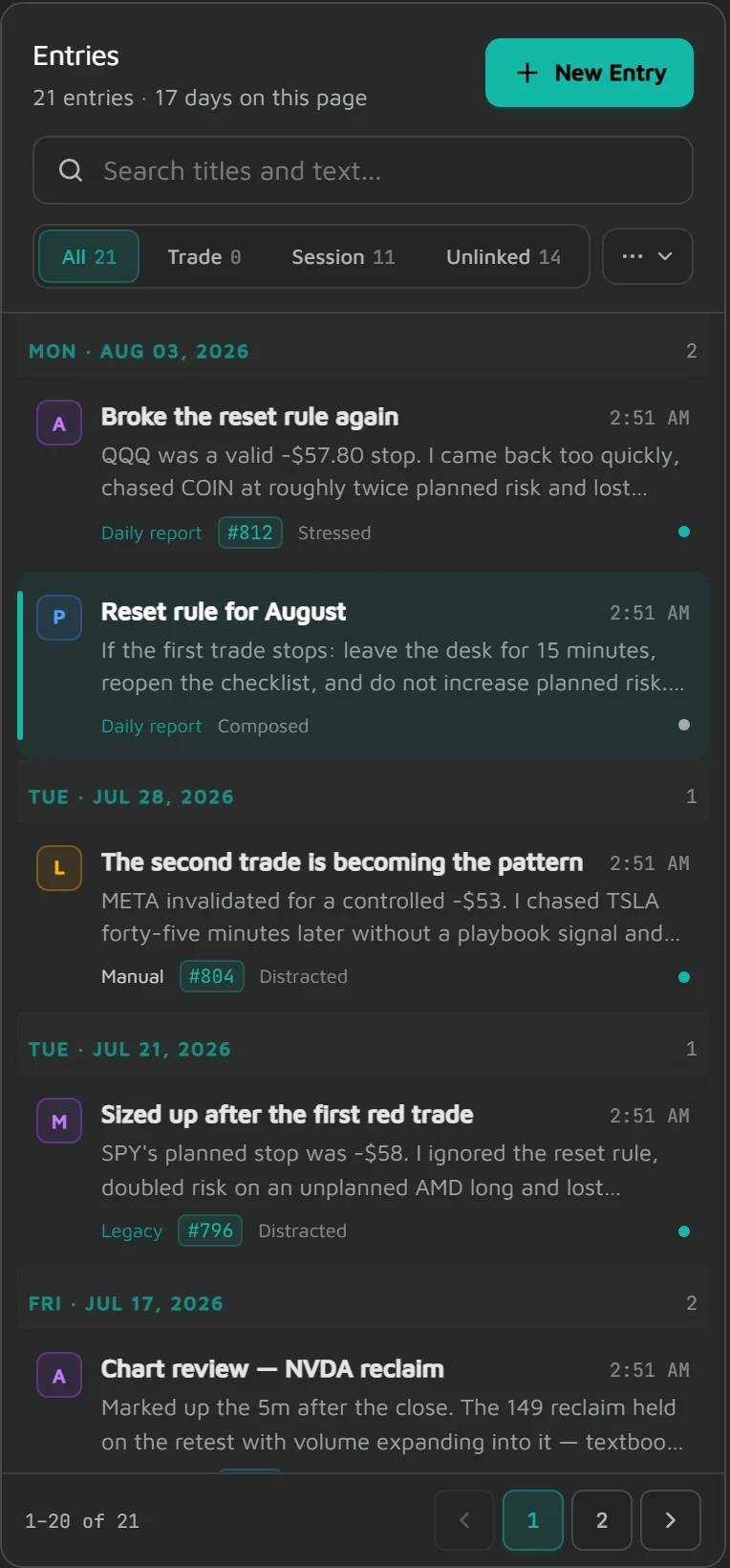
Every entry, filterable, grouped by session
The registry groups entries by trading day and counts what you have: how many are trade-linked, how many are session notes, how many still need context. Filter to trade notes or session notes, or search the text.
- Grouped by session date, newest first
- Filter by note type, or search across your entries
- Counts show how many of your notes are tied to a trade
The inspector
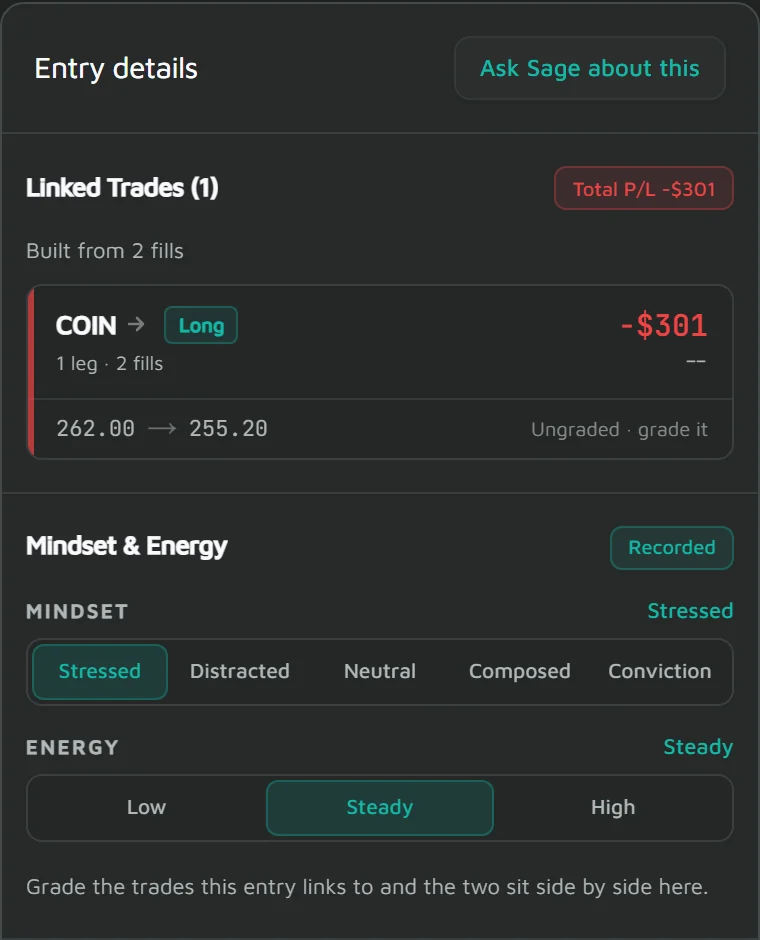
What this note is actually attached to
The inspector resolves a linked note down to the executions behind it. A trade that filled in two parts shows as one logical trade carrying both fills and its P&L — so a note about one decision stays attached to one decision, not to an arbitrary fill.
- Linked trades resolved to their underlying executions
- Several fills grouped into the single trade you actually took
- Entry, exit and P&L for the trade the note describes
- The mindset (1–5) and energy (1–3) you log, kept with the entry
Plan availability
Free, Pro and Ultimate
Available on every plan, including Free.
Compare plans